Linkdfolio Team
When you need a portfolio website builder, you usually want a live URL for your work — the link you put on LinkedIn, applications, and proposals. In 2026 the search results are dominated by blank-template platforms: Wix, Squarespace, Adobe Portfolio, Canva, Framer. Those are strong if you want to design a gallery from scratch. They are slow if your career story already lives on LinkedIn.
This guide compares the best portfolio website builders for people who need a shareable site this week, not a weekend with a drag-and-drop canvas.
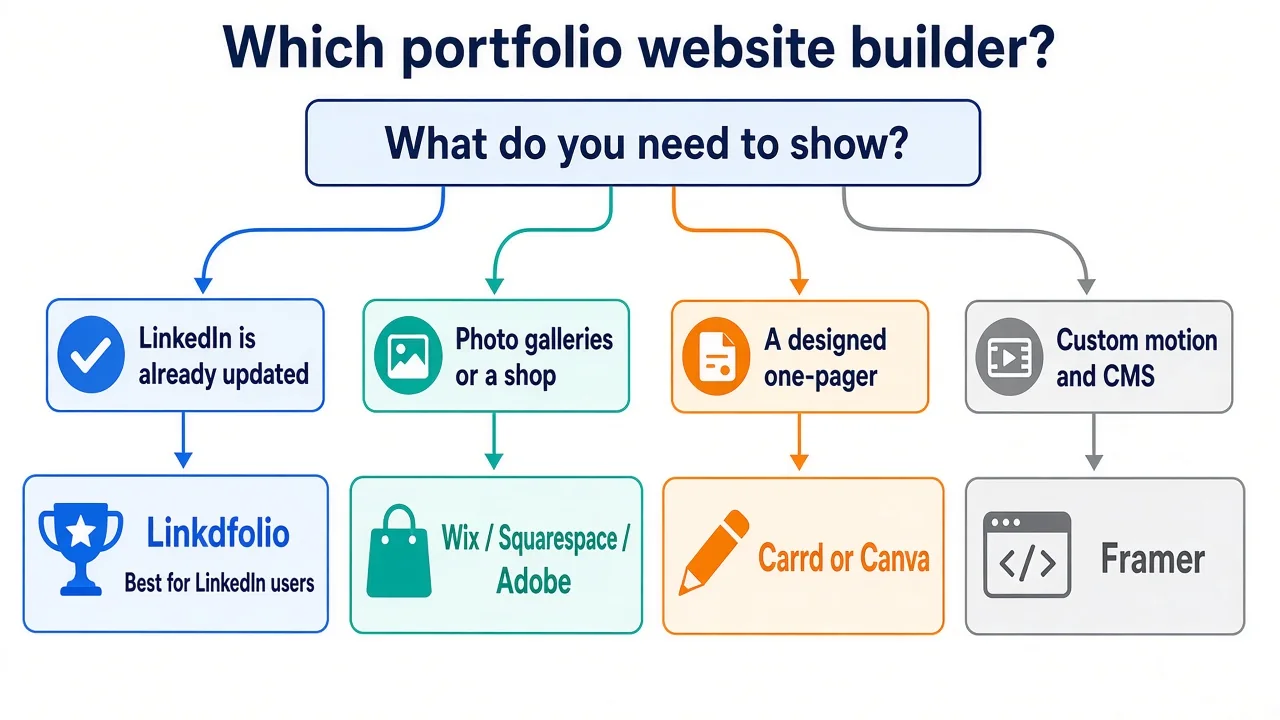
Short answer: If your LinkedIn profile is up to date, Linkdfolio is the fastest portfolio site builder: paste the URL, publish yourname.linkdfolio.com in about thirty seconds. If you need image galleries, case-study grids, or a shop, use Wix, Squarespace, or Adobe Portfolio. If you want a designed one-pager and enjoy building it, use Carrd.
Trying the product (not the comparison)? Open the portfolio website builder landing page. For resume-to-site tools, see best resume website builders. For Carrd specifically, see best Carrd alternative for LinkedIn.
What is a portfolio website builder?
A portfolio website builder (also called a portfolio site builder or online portfolio maker) gives you a hosted page or site to show work, experience, and contact info. It is not a PDF resume maker, and it is not LinkedIn itself.
| Tool type | What you get | Best for |
|---|---|---|
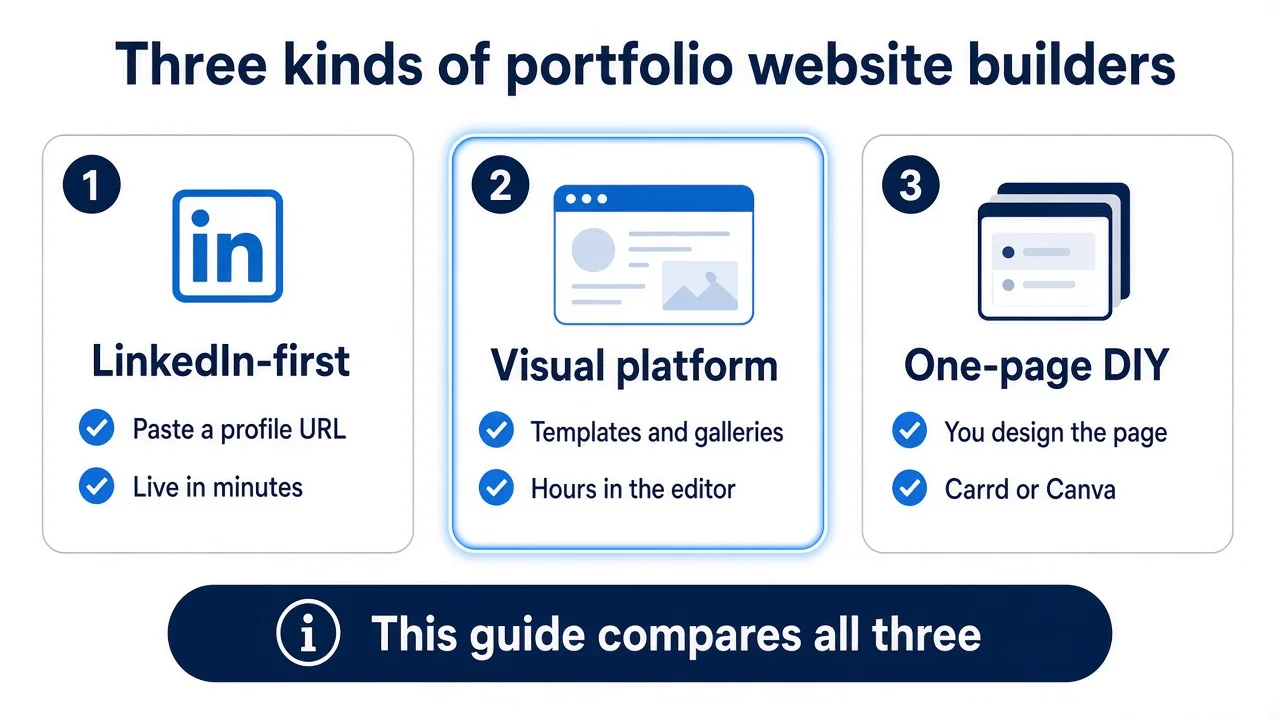
| LinkedIn-first builder (Linkdfolio) | Site generated from your public profile | Career URL in minutes |
| Visual portfolio platform (Wix, Squarespace, Adobe, Portfoliobox) | Templates, galleries, sometimes ecommerce | Designers, photographers, artists |
| One-page DIY (Carrd, Canva) | Single landing page you design | Short bios, link-in-bio-plus |
| Design-first (Framer, Webflow) | Pixel control, animation, CMS | People who want a custom site |
Portfolio website builder vs resume website builder: a resume site is a scannable career one-pager. A portfolio site often implies project galleries. Most job seekers actually need the career URL. Photographers and product designers often need the gallery. Pick the category first, then the tool.
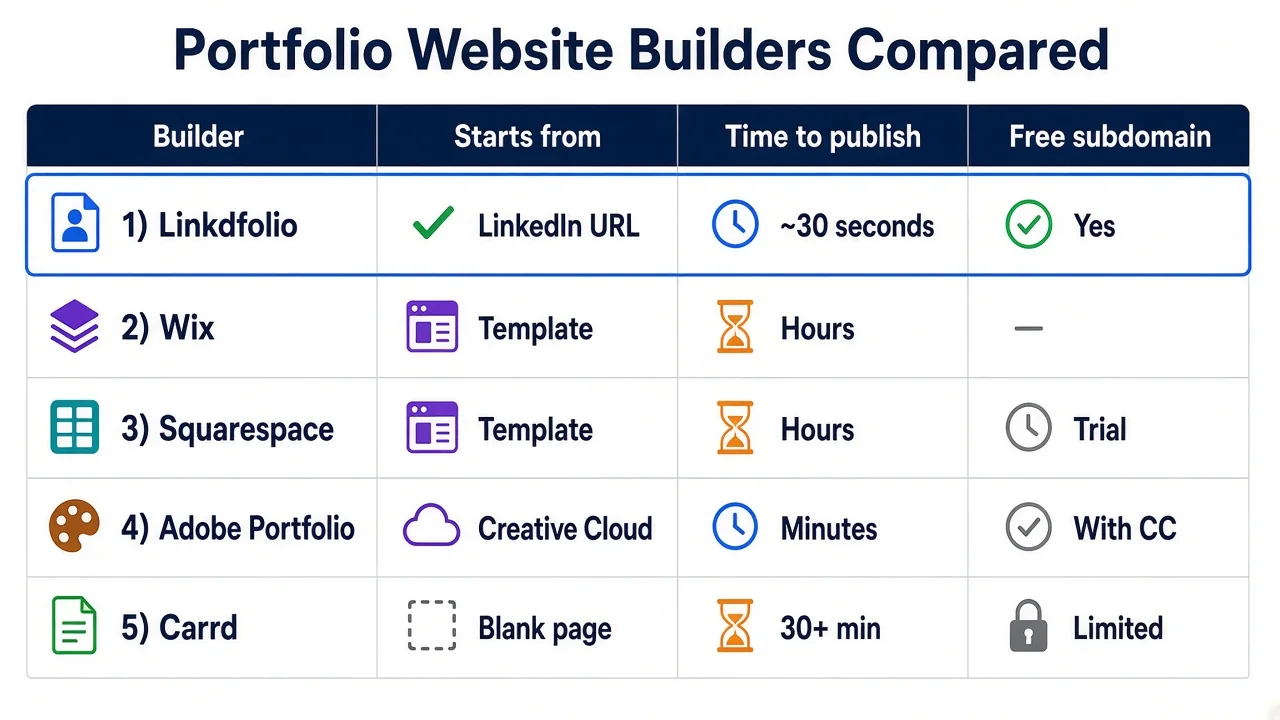
Quick comparison: best portfolio website builders 2026
| Tool | Best for | Starts from | Time to publish | Free tier |
|---|---|---|---|---|
| Linkdfolio | LinkedIn → live career site | Public LinkedIn URL | ~30 seconds | Yes — subdomain, no card |
| Wix | Design freedom, galleries | Template or AI | Hours | Yes, with Wix branding |
| Squarespace | Polished visual templates | Template | Hours | Trial, then paid |
| Adobe Portfolio | Creative Cloud users | Behance / Lightroom | Minutes–hours | Included with CC |
| Carrd | Cheap one-pagers | Blank template | 30–60+ min | Yes — limited |
| Canva | Presentation-style pages | Canva design | Minutes | Yes — limited |
| Framer | Custom motion and layout | Template or blank | Hours | Limited free |
| Portfoliobox | Photo portfolios + selling work | Template | Hours | Limited free |
Features and pricing change — confirm on each product’s site before you buy.
Who should use which portfolio site builder?
Use a LinkedIn-first builder if you:
- Already maintain LinkedIn and refuse to retype it
- Need a URL for applications, Featured, or proposals this week
- Want structured experience and skills, not a photography grid
Use a visual platform (Wix, Squarespace, Adobe, Portfoliobox) if you:
- Need project galleries, case-study pages, or a shop
- Care more about visual layout than time-to-publish
- Are a photographer, illustrator, or brand designer
Use Carrd or Canva if the site is one screen: bio, a few links, one CTA.
If you need a multi-page blog or client CMS, you left “portfolio website builder” and entered “website platform.” Budget a weekend.
AI portfolio website builders (Wix ADI, Canva Magic Studio, various “generate a site from a prompt” tools) still start from a blank brief. Linkdfolio is not that category. It imports the LinkedIn you already maintain. Use AI builders when the profile is empty and you want copy invented for you. Use LinkedIn import when the profile is the source of truth.
1. Linkdfolio — best portfolio website builder from LinkedIn
Linkdfolio is built for one job: paste your public LinkedIn URL → edit the generated draft → publish to yourname.linkdfolio.com.
Strengths:
- No blank canvas — headline, About, experience, and skills become sections
- Free hosted subdomain, no credit card
- Editable after publish
- Fast enough for a job-search deadline
Trade-offs:
- Not a photography CMS or ecommerce shop
- Less drag-and-drop control than Wix or Framer
- Custom domain is on Pro (rolling out)
Best when: LinkedIn is already the source of truth and you want a create a portfolio website path that is paste, not design.
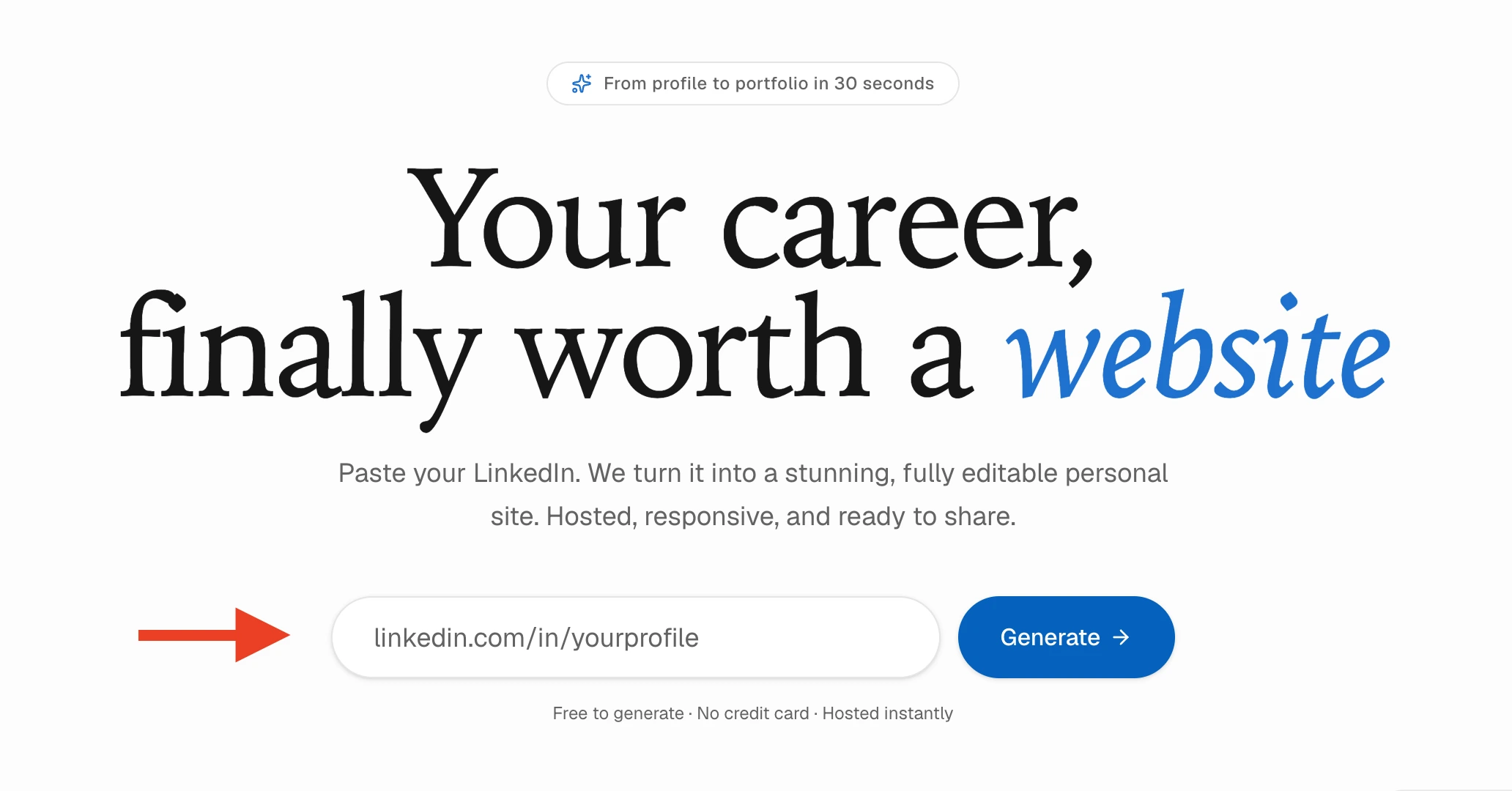

Try it on the homepage or the portfolio website builder page. Walkthrough: LinkedIn to website.
2. Wix — best all-around visual builder
Wix is the default visual pick in most “portfolio website builder” listicles. Hundreds of templates, drag-and-drop, AI site generation, image galleries.
Best when: You want a designed multi-section site and will spend real time in the editor.
Skip when: You thought “builder” meant “import my LinkedIn.” Wix does not replace that workflow.
3. Squarespace — best polished templates
Squarespace wins on aesthetic defaults — especially for photographers and studios. Guided setup, strong templates, paid after the trial.
Best when: Looks matter more than import speed, and you will pay for hosting.
Skip when: You need a free career URL tonight.
4. Adobe Portfolio — best if you already pay for Creative Cloud
Adobe Portfolio is included with Creative Cloud. It syncs with Behance and Lightroom. Fine for creatives already in that stack.
Best when: Your work is already in Adobe products.
Skip when: You are a PM, consultant, or engineer whose “portfolio” is experience, not a Lightroom catalog.
5. Carrd — best cheap one-page DIY
Carrd is a personal website builder for single-page sites. Affordable Pro tiers. No LinkedIn import.
If you like Carrd’s outcome but not the blank start, read best Carrd alternative for LinkedIn.
6. Canva — best presentation-to-page tool
Canva’s portfolio maker turns a design into a simple site. Fast if you already live in Canva. Weak as a structured career site with experience sections recruiters can scan.
7. Framer — best design-first custom site
Framer is for people who want animation, responsive breakpoints, and a site that feels designed. It is a portfolio website builder in the same way Figma is a document tool: powerful, not a 30-second import.
8. Portfoliobox — best photo-first galleries
Portfoliobox is built for photographers and artists who need image grids and a way to sell prints. Strong when the work is the photos. Weak when the work is a career timeline.
How to create a portfolio website (without a blank template)
If LinkedIn is current, you do not need a template quiz.
- Open linkdfolio.com (or /website-builder).
- Paste your public LinkedIn profile URL.
- Review the generated About, experience, and skills. Edit anything that reads like a dump.
- Publish to
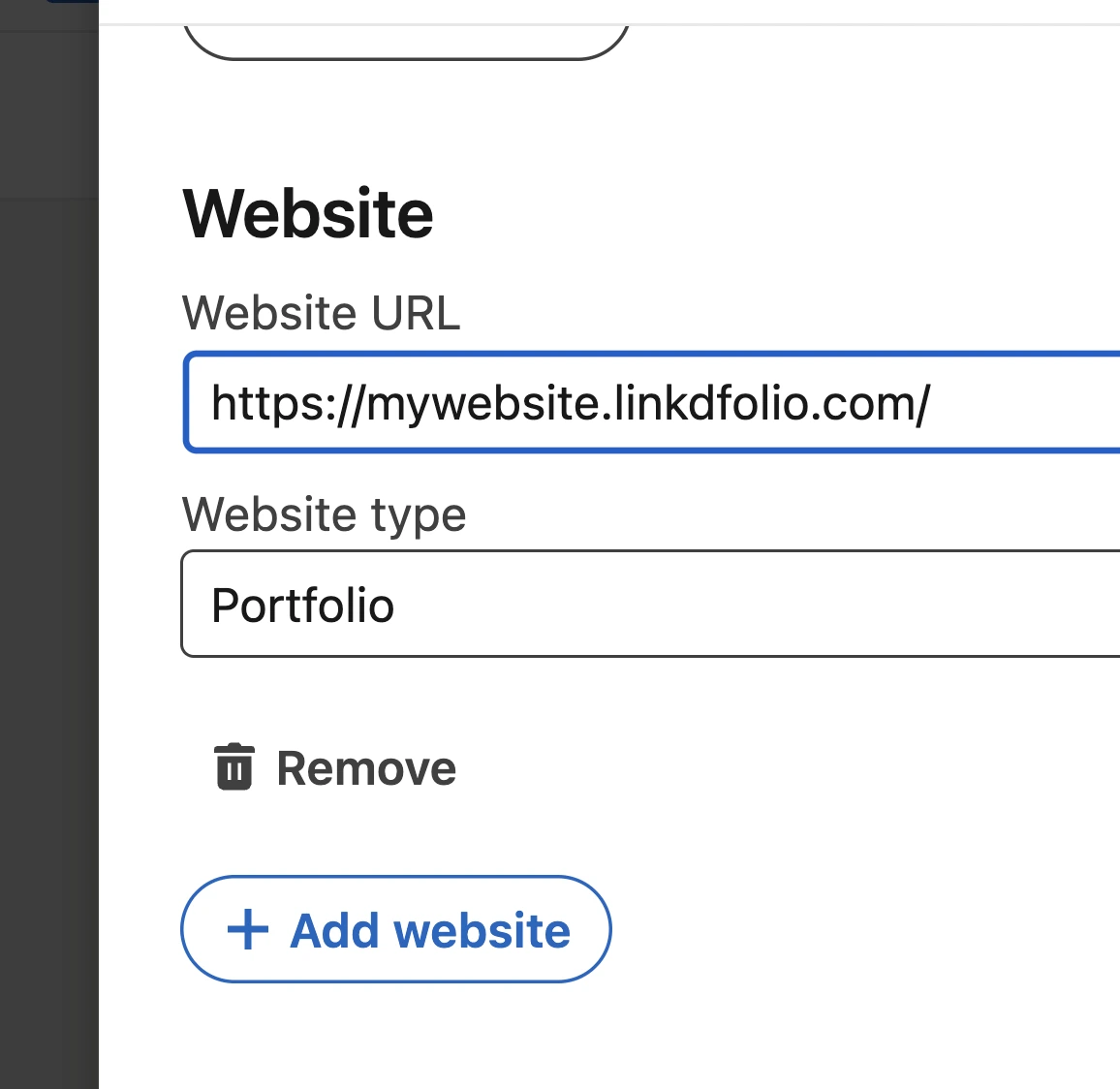
yourname.linkdfolio.com. - Add that URL to LinkedIn Featured and Contact info.
That is the full online portfolio maker loop for career sites. Visual platforms still make sense after this if you later need galleries.
How much does a portfolio website builder cost?
Ballpark, verify live:
| Path | Typical cost |
|---|---|
| Linkdfolio free | $0 for a subdomain site |
| Carrd Pro | Often cited around $9–$19/year |
| Adobe Portfolio | Bundled with Creative Cloud |
| Wix / Squarespace | Roughly $16–$30+/month for a custom domain and no ads |
| Framer / Webflow | Free limited, then paid hosting |
You can create a portfolio website for free. You pay when you want a custom domain, no platform branding, or a visual CMS.
FAQ
What is the best website builder for creating portfolios?
It depends what you are showing. Linkdfolio is the best portfolio website builder if the content is already on LinkedIn. Wix or Squarespace if you need galleries and will design the site. Adobe Portfolio if you already pay for Creative Cloud. Carrd if you want a cheap one-pager you will build yourself.
How do I build my own portfolio website?
Either import (paste LinkedIn into Linkdfolio) or design (pick a Wix/Squarespace/Carrd template and fill it). Import is faster when your profile is complete. Design is better when the work is visual.
How much does it cost to build a portfolio website?
Free is possible on a subdomain (Linkdfolio, Carrd, Adobe with CC). A custom domain on Wix or Squarespace is usually a monthly plan. The expensive part is hours in the editor, not hosting.
What is the best website for creating a portfolio?
For a career URL: Linkdfolio or a one-page builder. For a creative gallery: Wix, Squarespace, Adobe, or Portfoliobox. Behance is a network, not a site you control.
Is there a free portfolio website builder?
Yes. Linkdfolio’s free tier includes LinkedIn import and yourname.linkdfolio.com. Carrd, Canva, and several visual platforms have free tiers with branding or page limits. Check export rules before you invest a weekend.
Portfolio website builder vs LinkedIn — do I need both?
Yes. LinkedIn is discovery. The site is the destination you control. See personal website vs LinkedIn.
Next steps
You do not need every builder on this list. You need one live URL.
- LinkedIn already updated? Paste your profile on linkdfolio.com or use the portfolio website builder page.
- Comparing Carrd? Read best Carrd alternative for LinkedIn.
- Need a resume-to-site angle? See best resume website builders.
- Ready to place the link? Follow how to add a portfolio website to LinkedIn.
Browse more guides on the Linkdfolio blog.