Linkdfolio Team
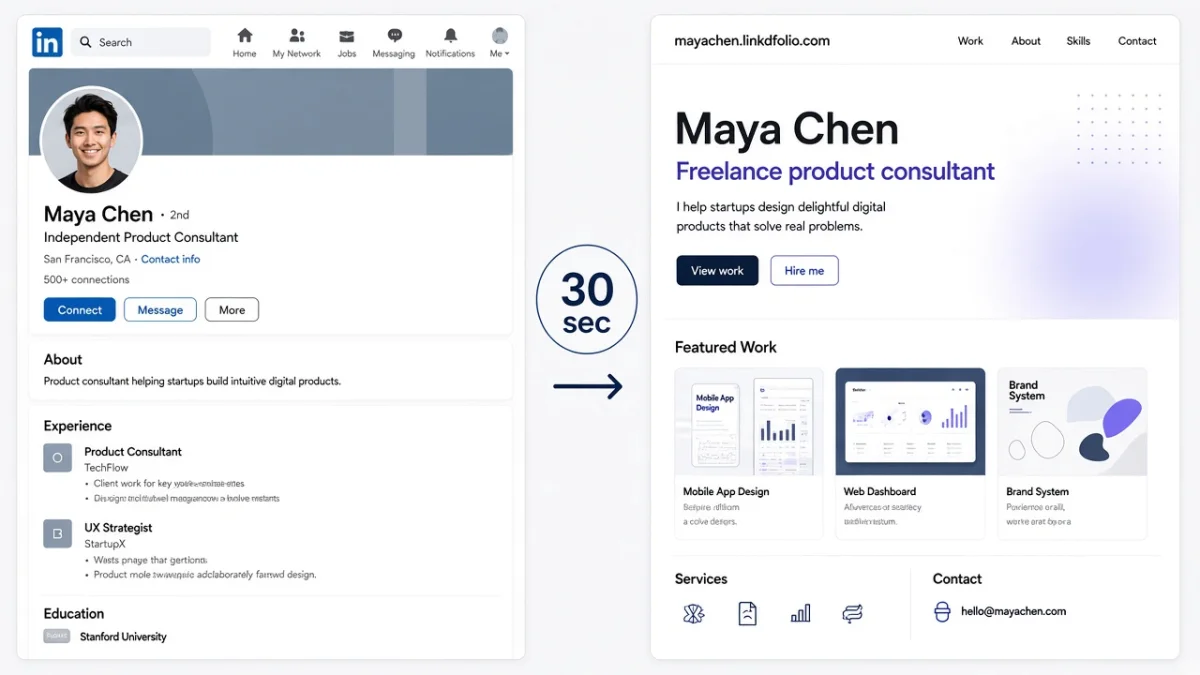
Here is how to create a portfolio: decide who it is for, start from your LinkedIn profile or resume, and pick three to six of your best pieces. Write a short case for each: goal, role, tools and outcome. Add an about section and contact details, choose a format, and share one link everywhere.
The steps are the same for a student, a career changer or someone ten years into one field. This guide takes each step in turn, then gives you a checklist, ideas for when you have little experience, examples by role and the mistakes to skip. If you are applying for jobs right now, see how Linkdfolio builds a portfolio for job seekers.
What a portfolio is (and who needs one)
A portfolio is a small, curated set of your work, with enough context that a stranger can see what you did and why it mattered. You choose a few pieces for the person you want to read it, and leave the rest out.
A digital portfolio is one you share as a link: a web page, a PDF or a profile on a platform. The format matters less than the choice of work and the way you explain it.
Portfolios are not only for designers. Anyone whose work leaves something behind can show it:
- Marketers: campaigns, emails, landing pages, content calendars
- Analysts: dashboards, reports, SQL or Python notebooks
- Teachers: lesson plans, unit designs, student projects you led
- Writers: articles, newsletters, scripts, documentation
- Engineers: shipped features, repositories, technical write-ups
- Operations and project people: process changes, launch plans, tools you rolled out
If a job post asks for "work samples", "examples of your work" or a "portfolio link", you need one. If it doesn't, a portfolio still gives a recruiter something to click after your resume, and it shows work a bullet point can only describe.
How to create a portfolio in 7 steps
If you are wondering how to build a portfolio from nothing, the steps below take you from a blank page to a link you can share. In short:
- Define your goal and audience.
- Start from your LinkedIn profile or resume.
- Pick 3–6 of your best pieces.
- Write a short case for each: goal, role, tools, outcome.
- Add about, experience, skills and contact.
- Choose a format.
- Share the same link everywhere.
1. Define your goal and audience
Write one sentence before you collect anything: "This portfolio is for [who] so they can see that I can [do what]." For example: "This portfolio is for hiring managers on marketing teams, so they can see that I can plan and run email campaigns."
That sentence decides everything after it. It tells you which work to include, which to leave out and what words to use. Without it, you end up adding pieces that don't help the reader you care about.
2. Start from your LinkedIn profile or resume
You don't need to start from a blank page. Your LinkedIn profile or resume already lists your roles, dates, skills and the projects you were proud enough to mention. Read it and mark every line that points to something you could show: a campaign, a report, a lesson, a feature, an event.
Those marks become your shortlist. The profile also gives you the about, experience and skills sections you will need in step 5, already written.
3. Pick 3–6 of your best pieces
Go through your shortlist and keep three to six pieces. Choose each one with your goal sentence in mind:
- Relevant: it matches the work you want next, not only the work you did last.
- Recent: it reflects how you work today.
- Explainable: you can say what your part was.
- Varied: together, the pieces show more than one skill.
Fewer, stronger pieces beat a long scroll. If you are torn between two pieces, keep the one closer to the job you want.
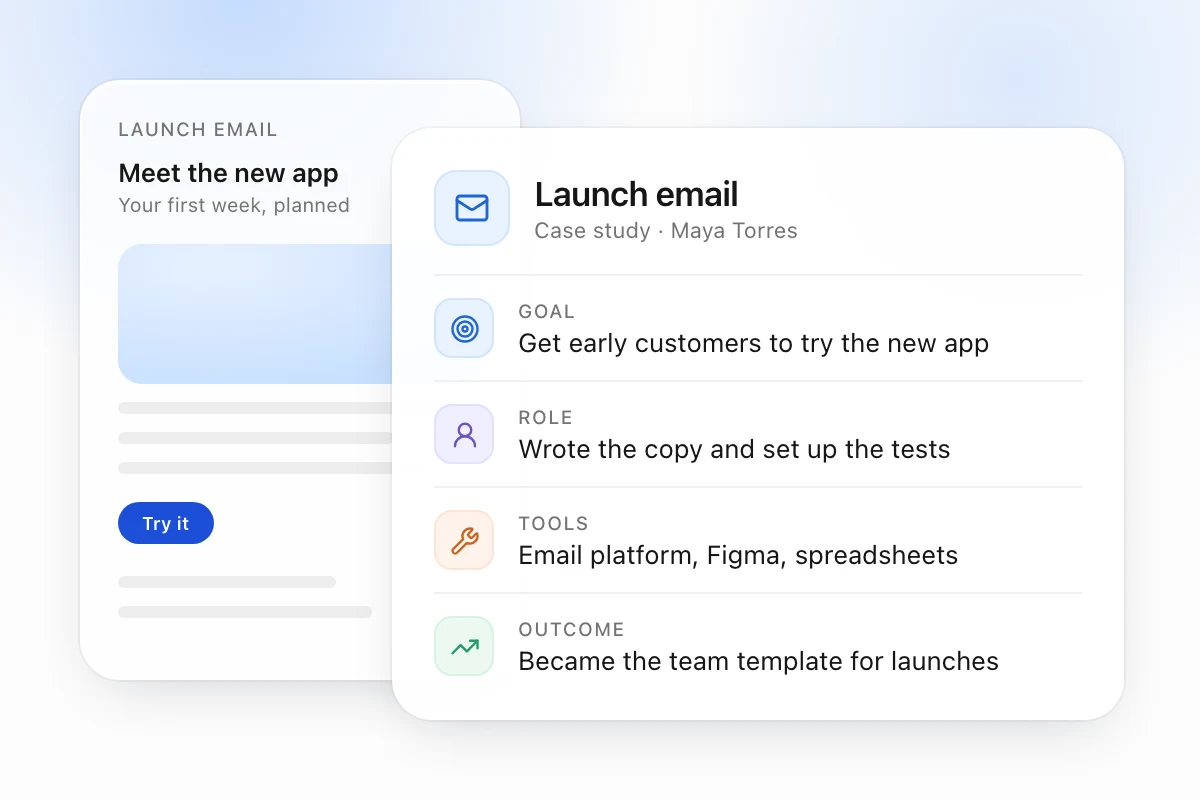
4. Write a short case for each (goal, role, tools, outcome)
Without context, a reader can't tell what you did or why it mattered. Under each piece, write four short lines:
- Goal: what problem the work had to solve.
- Role: what you did yourself, and who you worked with.
- Tools: the software, methods or skills you used.
- Outcome: what changed because of the work.
Keep the outcome honest. Use your own real results, such as a number you measured or feedback you received. If you don't have a number, describe what happened next: the team adopted the template, the client renewed, the lesson became part of the course.
5. Add about, experience, skills and contact
Around your work, add four short sections:
- About: two or three sentences on who you are and what you want to do next.
- Experience: your roles, with dates, pulled from LinkedIn or your resume.
- Skills: the skills your pieces prove, not every skill you have ever listed.
- Contact: an email address and your LinkedIn profile, easy to find on a phone.
6. Choose a format
This is where how to create an online portfolio becomes a practical choice. There are three common formats:
| Format | Good for | Watch out for |
|---|---|---|
| Applications that ask for an attachment, print, offline review | Large files, links that break, harder to update once sent | |
| Platform profile (Behance, Dribbble, GitHub) | Designers and developers whose field already looks there | The platform's layout, and it only shows one kind of work |
| Personal website | Any career, one link for every channel | It needs a clear address and someone to keep it current |
You can combine them. A website can link out to your GitHub or Behance, and you can export a PDF when an application asks for a file. Pick one as the home base, the link you put everywhere.
7. Share the same link everywhere
Use one link in every place someone might look for you:
- Your resume header. Add your portfolio link to your resume next to your email and LinkedIn.
- Your LinkedIn profile, in Contact info and the Featured section.
- Your email signature.
- Application forms that ask for a website or portfolio URL.
One link is easier to remember and forward than three. Before you send it, open it on your phone in a private window to check that it loads and that nothing asks for a login.
What to include in a portfolio (checklist)
Here is what to include in a portfolio, as a list you can copy:
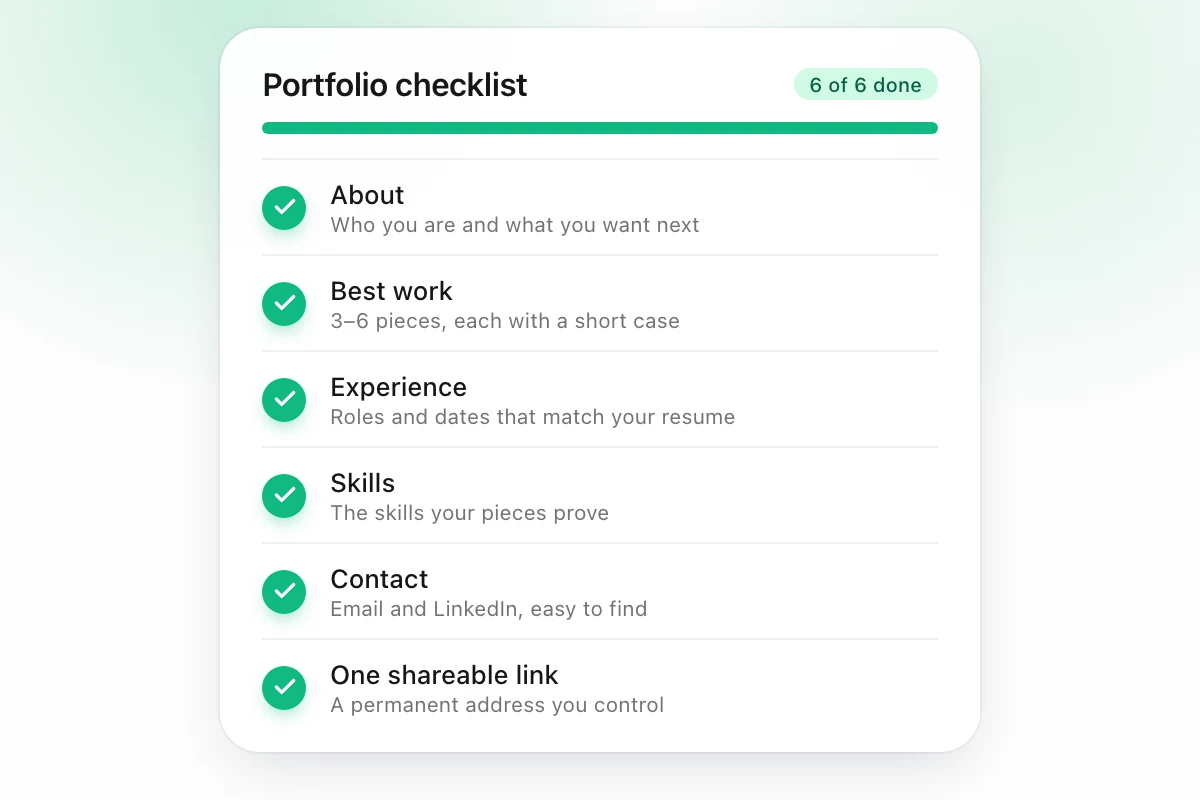
[ ] About: who you are and what you want next, in 2–3 sentences
[ ] Best work: 3–6 pieces, each with goal, role, tools and outcome
[ ] Experience: roles and dates that match your resume
[ ] Skills: the skills your pieces prove
[ ] Contact: email and LinkedIn, visible on a phone
[ ] One shareable link: a permanent address you control
How to create a portfolio with little or no work experience
You can build a portfolio before your first full-time job. Work counts even if nobody paid you for it. Look for pieces in four places:
- Class projects: a research paper, a group presentation, a capstone, a lab report. Say what the brief was and what you did.
- Volunteer work: an event you organized, a fundraiser you ran, a website you set up for a club or a local group.
- Internships: even short ones. Show one task you owned from start to finish.
- Side projects: a blog, an app, a newsletter, a podcast or a spreadsheet that solved a problem for someone.
Use the same four-line case for each piece. A class project with a clear goal, role, tools and outcome reads better than a vague job title.
If you are still in school, your LinkedIn profile probably already lists your coursework, clubs and internships. This guide shows how to turn that into a student portfolio from LinkedIn.
Portfolio examples by role
These three portfolios are made up, but each follows the seven steps.
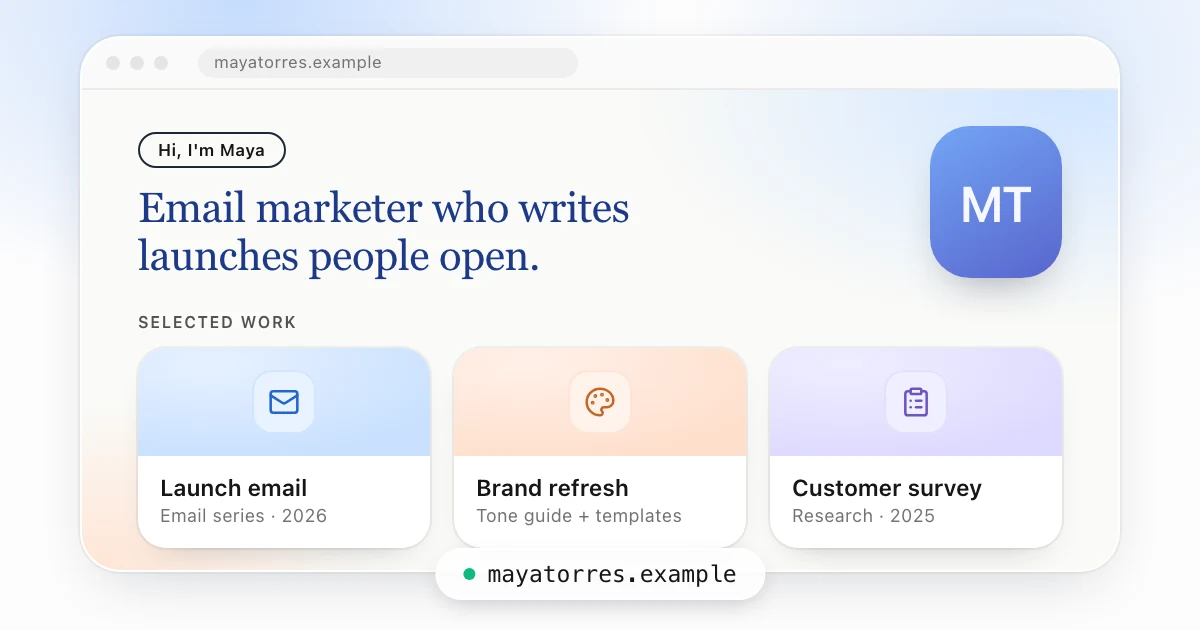
Maya Torres, marketer (mayatorres.example)
Maya wants a role on an email and lifecycle team. Her goal sentence names that, so her three cases are all marketing work:
- Launch email: the email series for a product launch. She wrote the copy and set up the tests.
- Brand refresh: a new tone guide and templates she rolled out across the team's channels.
- Customer survey: a survey she designed, plus the changes the team made from the answers.
Her about section is two sentences, and her contact block sits at the bottom of every page. If you work in marketing, see how a marketing portfolio can start from your LinkedIn profile.
Daniel Okafor, data analyst (danielokafor.example)
Daniel is moving from finance operations into analytics. His portfolio leads with two dashboards and one report. Each case says which question the business asked, which data he used, which tools he built it in and what the team decided after seeing it. He links to a notebook for anyone who wants to read the code.
Priya Shah, teacher (priyashah.example)
Priya is a high school science teacher applying to curriculum design roles. She shows a unit plan, a lab activity she wrote and a set of assessment rubrics. For each, she explains the learning goal, her role in writing it and how her students responded. Student names and work are left out.
For profiles from more fields, see more LinkedIn portfolio examples.
Common mistakes
- Outdated work. A piece from five years ago tells the reader that's where your skills stopped. Swap old pieces out when you finish something better, and update your experience when you change roles.
- No context. A screenshot with no caption makes the reader guess. Every piece needs its goal, role, tools and outcome.
- Temporary URLs. A shared drive folder, a preview link or a free trial that expires breaks after you have already sent it. Use a permanent address you control, and test it before every application.
Create your portfolio from your LinkedIn profile with Linkdfolio
If your LinkedIn profile or resume is up to date, you already have most of a portfolio. Linkdfolio starts from what you have.
Paste your LinkedIn URL or upload a PDF resume, and Linkdfolio builds a website from it at yourname.linkdfolio.com. Change any section, add your best pieces and publish. Then use that one link on your resume, your LinkedIn and every application.
Linkdfolio also tailors every job application. Paste a job post, and you get a resume and a cover letter made for that job. It works from what you have actually done. It never invents jobs or numbers and never stuffs in keywords, and you check every resume and cover letter before you send it.
It is free to start. On Professional, you can connect your own domain.
Create your portfolio from your LinkedIn profile
FAQ
What should a portfolio include?
A portfolio should include an about section, three to six pieces of your best work, your experience, your skills and a way to contact you. Each piece needs a short case with the goal, your role, the tools you used and the outcome. Put all of it behind one link you can share.
Leave out anything that doesn't support the work you want next.
How many projects should a portfolio have?
Three to six projects is enough for most portfolios. Fewer than three makes it hard to see a pattern in your work. More than six means a reader skims and may miss your best piece. Pick the projects closest to the job you want, and write a short case for each one.
Do I need a portfolio if I am not a designer?
Yes, if your work leaves something you can show. Marketers, analysts, teachers, writers, engineers and project managers all produce campaigns, reports, lesson plans or launches that prove their skills. A portfolio gives a recruiter something to click after your resume, and shows work that a bullet point can only describe.
Should I use a PDF, a website, or a platform profile?
Use a website as your home base if you can, because one link works on a resume, on LinkedIn and in an email. Use a PDF when an application asks for an attachment. Use a platform profile such as Behance or GitHub if your field already looks there, and link to it from your site.
How do I create a portfolio if I have little work experience?
Use class projects, volunteer work, internships and side projects. They count as work when you can say what the goal was, what you did, which tools you used and what happened. Pick three of your strongest, write a short case for each, and add an about section that says what you want to do next.